Save the whole workspace
Capture running application windows, titles, display assignments, visibility state, and their positions in one layout.
 LayoutLock
 Appearance
Mac workspaces, restored
Save your apps and window positions across displays, then restore them from the menu bar or a keyboard shortcut.
Simple by design
LayoutLock captures the workspace you already use. No profiles or launch recipes to configure.
Native macOS app
Workspace data stays local
14-day guarantee
Why LayoutLock
Docking, restarting, or changing displays should not mean another round of manual window dragging.
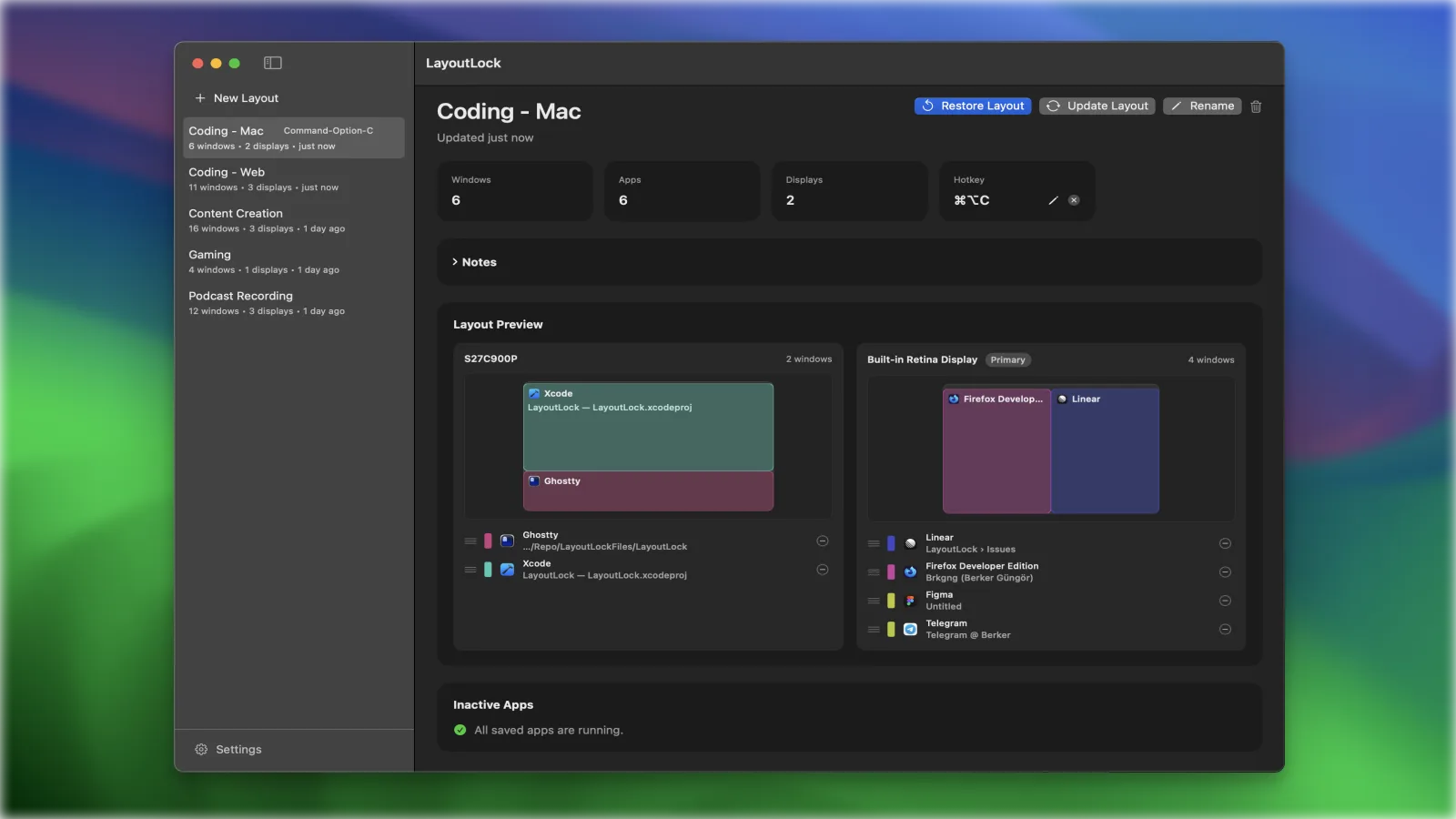
Capture running application windows, titles, display assignments, visibility state, and their positions in one layout.
Window geometry is stored relative to the display, so layouts can adapt more gracefully when screen setups change.
Open the dashboard to scan saved layouts, app lists, window counts, and a visual layout preview.
Restore from the dashboard, menu bar, or a per-layout global shortcut while saved apps are relaunched when possible.
Privacy and trust
LayoutLock needs macOS permission to do its job, but the saved layout data and troubleshooting logs stay on your Mac.
macOS asks you before LayoutLock can inspect and move windows from other apps. Without that permission, the app runs in limited mode.
Saved layouts, preferences, and diagnostic files are stored under the app support folder on your Mac.
Troubleshooting logs are local-only, capped at 5 MiB, and pruned after 7 days.
How it works
The core workflow stays close to how Mac users already work, without adding a new project system to maintain.
01
Set up the apps, displays, and window positions you want to return to later.
02
Capture the current workspace from LayoutLock and keep it named in the dashboard.
03
Bring the layout back from the dashboard, menu bar, or a shortcut when your workspace changes.
Pricing
The core save-and-restore flow is free. Pro adds convenience and automation for people who rely on repeatable Mac workspaces.
$0
Save and restore up to 3 layouts with the core LayoutLock workflow.
$14.99
14-day money-back guarantee
One-time purchase for power-user layout automation. No subscription.
Easy to transfer
Use Pro on one Mac at a time, then deactivate it before moving to another.
Pay once
Your one-time purchase supports continued LayoutLock development.
Secure checkout
Payment and license delivery are handled securely by Creem.
FAQ
A short version of the permissions, data, display, purchase, and support details.
macOS requires Accessibility permission before any app can inspect and reposition windows owned by other apps. LayoutLock uses that permission to capture and restore window positions.
No. Snapshots, preferences, and diagnostic logs stay under the app support folder on your Mac. Logs are capped at 5 MiB, pruned after 7 days, and are never uploaded automatically.
Window geometry is stored relative to the display. If a saved display is missing, matching windows can move to a fallback display. LayoutLock also asks macOS to relaunch saved apps when possible before matching their windows.
Free includes the core save-and-restore workflow for up to 3 layouts, per-layout global hotkeys, and individual-window removal. Pro adds unlimited layouts, display-change restore suggestions, and custom restore order.
Pro is a one-time $14.99 purchase for one Mac with no subscription. You can transfer the license by deactivating it first. Secure checkout is handled by Creem, and you can email support@layoutlock.app within 14 calendar days for a full refund.
Start free
Save and restore up to 3 layouts free. Upgrade only when you need unlimited layouts and Pro automation.